Before I work in your Shopify store, you have to grant me access.
The store where your revenue lives. Where your customer list lives. Handing that over isn't a small thing. I run one myself, so I know exactly what it represents: the till, the order book, and the customer database, all in one.
So let me show you how you actually give me access, without exposing any of that, with the real mechanism behind each step.
If you're also wondering what I do once I'm inside, and how the Beer Club gets built without touching the part of your store that's already selling, that's covered separately in How I install the Riwaka system into your Shopify store without breaking it.
The key fact most people don't know: Shopify separates what someone can do from the fact that they're in your store at all.
You're never handing over a master key. You approve me with a defined set of permissions, and Shopify enforces them. I cannot open a screen you didn't grant me. And the two screens that would expose your money and your numbers are the ones I ask you to switch off.
Here's the whole process, step by step.
Step 1: You generate an access code
In your Shopify admin, under Settings, there's a short collaborator access code. You send it to me. That's all the code does. It lets me request access, and grants nothing on its own.
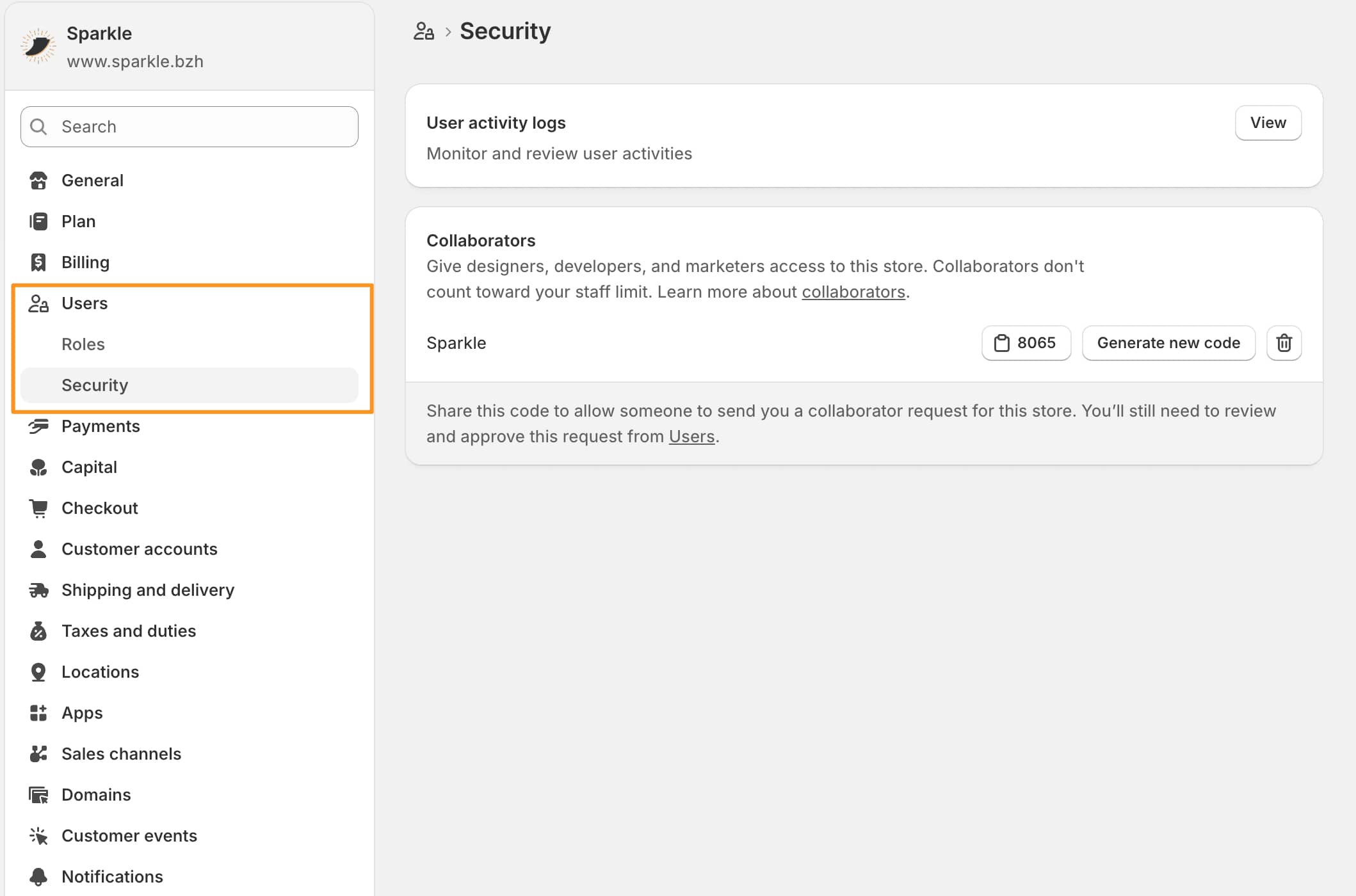
(Sorry if you're reading this on a smartphone, you'll need to zoom in for the screenshots...)
Using that code, I submit a collaborator request from my Shopify Partner dashboard. Nothing happens to your store yet. The request just lands in your inbox, waiting for you.
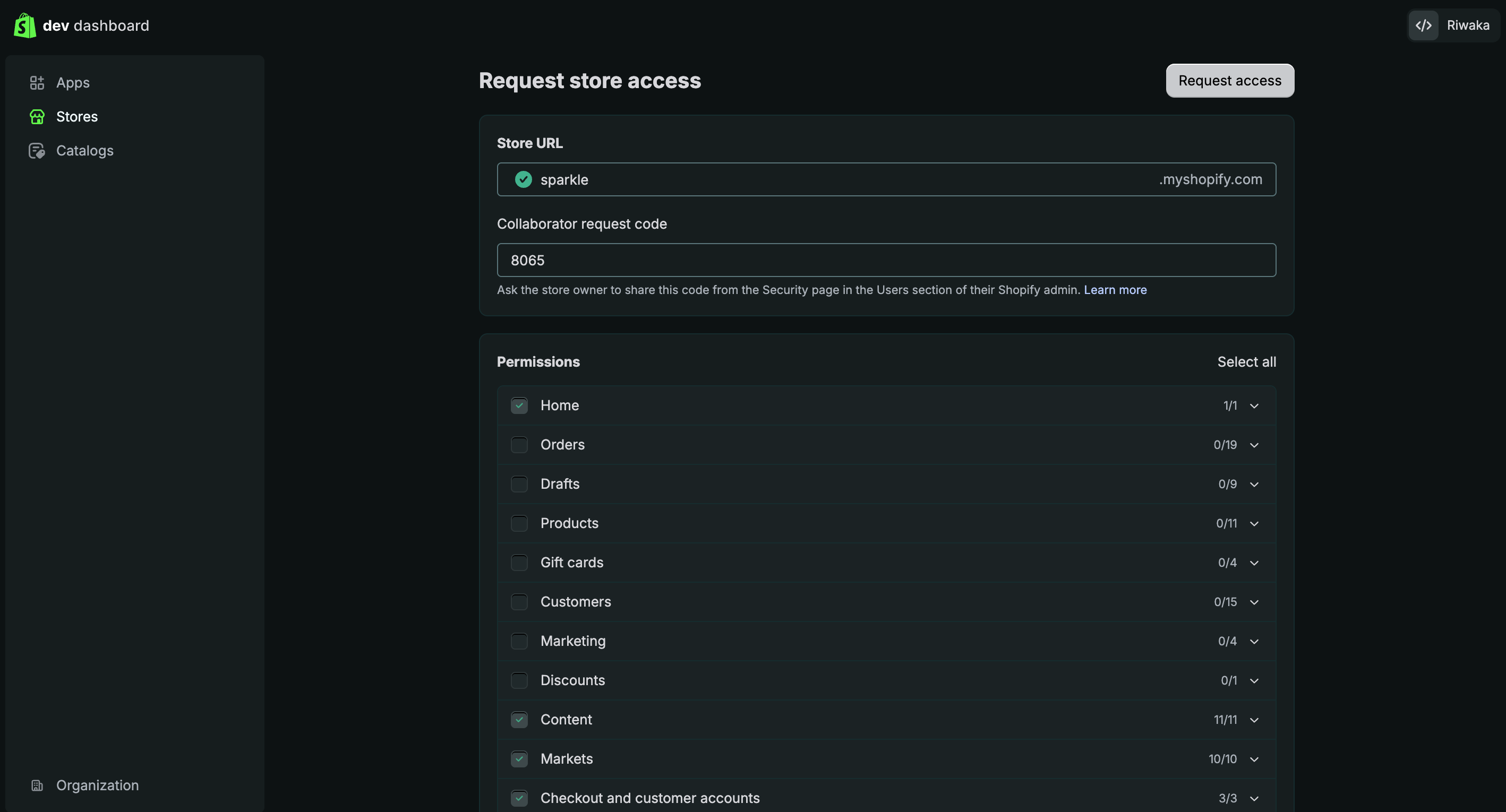
The request arrives in your inbox. Before you approve it, you set exactly what I can touch, and this is the part that matters.

I do need working access to build a Beer Club properly: themes, files, products, and your checkout settings. That last one isn't optional. I need it to make sure a customer who subscribes isn't charged delivery on top of their subscription, among a few other things that only work if I can see how checkout is configured.

So most permissions stay on, on purpose, and I'd rather tell you that plainly than pretend I work with less than I do. What stays off is the part you're actually worried about.
Before approving, you untick two things:
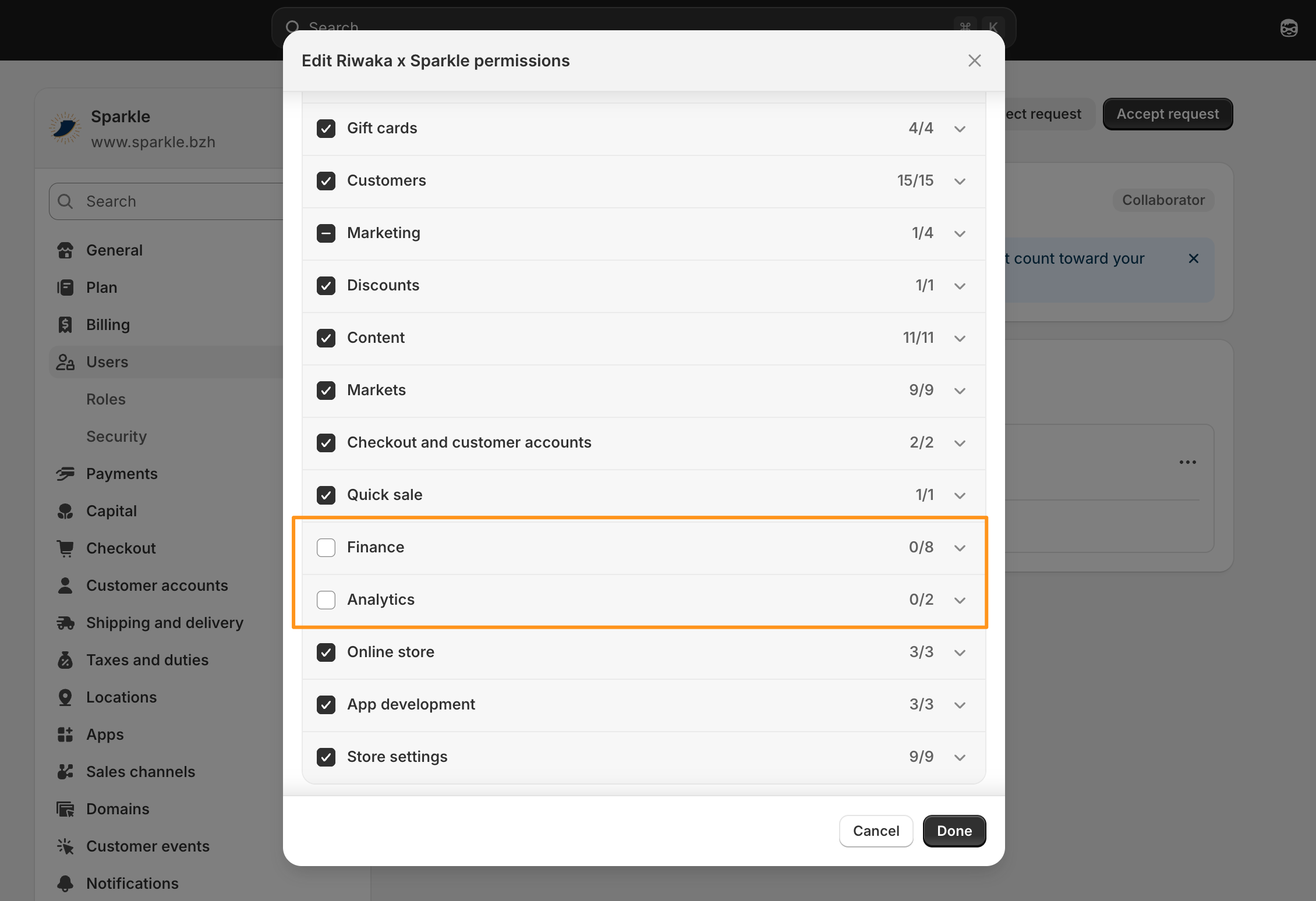
With those two off, I can build the system but I cannot see your numbers or touch your money. If you want to go further, you can also untick Customers and Orders, and I'll work around it. I'd suggest leaving the rest on so I'm not blocked mid-build on something like checkout, but that's your call to make on this screen.
Once you approve, I'm in, but only within the permissions you set.
A collaborator account doesn't count against your staff seat limit, and you can change the permissions or revoke access from that same settings screen, in one click, any time, without asking me.
When people picture "giving someone access," they imagine handing over the whole store. What's actually happening is closer to giving a contractor a key to the workshop while you keep the safe and the books locked, and the only key to the lock stays with you.
Once the access is set the way you want it, the next question is what I actually do inside: how the Riwaka system goes into your store without touching the part that's already selling. That's covered in How I install the Riwaka system into your Shopify store without breaking it.
And if you want to head back to the homepage, click here.